Bulk Firmware Updates in Wi-Fi Management
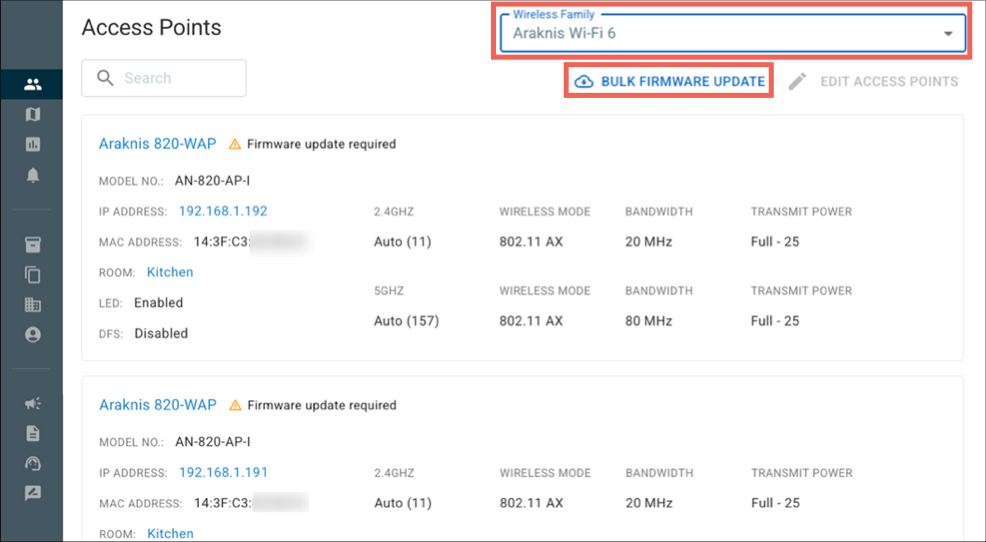
Use OvrC Wi-Fi Management to simultaneously upgrade the firmware on all the Araknis x20 or x30 series access points (APs) on location.
Note: The Bulk Firmware Update button only appears if a firmware update is available.
To bulk firmware update:
-
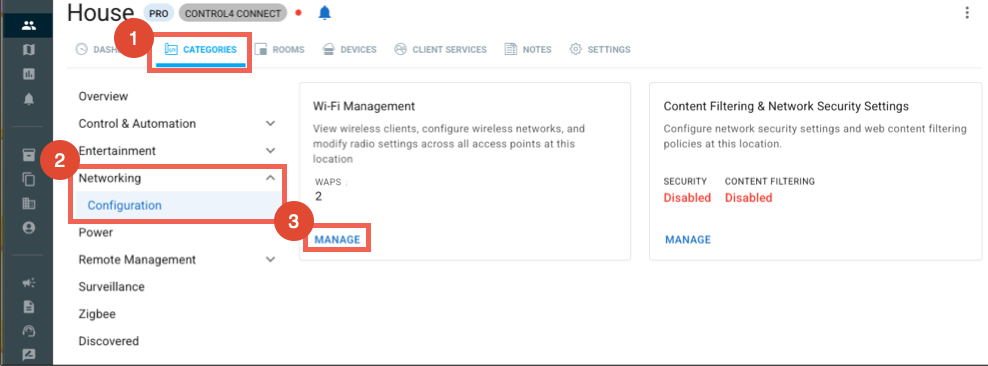
Go to the CATEGORIES tab > Networking > Configuration.
-
In the Wi-Fi Management tile, click MANAGE.
-
If you're using a mix of APs, make sure the Wireless Family is set to Araknis Wi-Fi 6.
-
Click BULK FIRMWARE UPDATE.